
Publication date: 21 August 2026
Estimated reading time: 3 minutes
You probably use Software as a Service (SaaS) without thinking about it.
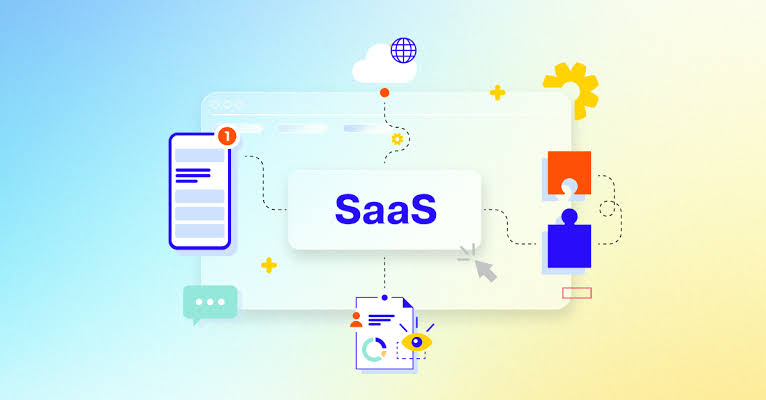
Instead of buying software once, installing it on a computer and managing everything locally, SaaS applications are typically accessed over the internet and managed by the service provider.
Email platforms, online collaboration tools, customer-management systems and many business applications use this model.
For businesses and technology professionals, understanding SaaS is increasingly useful. As I continue building Bwanika.com and working across web development, ICT and digital solutions, SaaS is one of the technology models I regularly encounter.
What does SaaS mean?
SaaS stands for Software as a Service.
The basic idea is simple:
You use software as an online service rather than managing the entire software installation yourself.
You might access the application through a web browser or dedicated app.
The provider generally handles much of the underlying infrastructure, maintenance and software updates.
How is SaaS different from traditional software?
Imagine buying a traditional desktop application.
You might need to:
- Purchase or obtain the software.
- Install it.
- Manage updates.
- Maintain the computer it runs on.
- Deal with compatibility issues.
With SaaS, much of the technical infrastructure is handled by the provider.
You normally create an account, choose an appropriate plan if required and access the service online.
The exact arrangement depends on the product.
Examples of SaaS
SaaS is used across many areas of business and personal computing.
Common categories include:
- Project management
- Accounting
- Customer relationship management
- Communication
- Document collaboration
- Design
- Marketing
- Human resources
- Website management
The important point is not the brand name.
It is the service model.
Why do businesses use SaaS?
One major benefit is convenience.
A business can access software without building and maintaining the entire underlying infrastructure itself.
SaaS can also make it easier for teams to work with the same application from different locations, depending on the service.
For growing organisations, this can be useful when employees need access to common tools.
SaaS can reduce technical maintenance
With many SaaS products, the provider handles tasks such as:
- Software updates
- Infrastructure maintenance
- Server management
- Some aspects of security
- Service availability
This doesn’t mean the customer has no responsibility.
Businesses still need to manage accounts, permissions, passwords, data and appropriate security settings.
SaaS and the UAE business environment
The UAE has a strong and growing digital-business ecosystem.
Businesses ranging from small companies to larger organisations use online platforms for communication, operations, marketing and customer management.
For entrepreneurs and technology professionals, understanding SaaS can therefore be valuable when choosing digital tools.
The important question isn’t simply:
“Is this software popular?”
Instead ask:
“Does this service solve a real problem for my business?”
What are the disadvantages?
SaaS also comes with considerations.
Internet dependence
Many SaaS services require reliable internet access.
Subscription costs
Some services use recurring payments rather than a one-time purchase.
Data considerations
Businesses need to understand how their information is stored and handled.
Provider dependence
If a business becomes heavily dependent on one platform, changing services later can sometimes be difficult.
Account security
A compromised account could potentially expose business information.
These factors should be considered before adopting an important service.
SaaS and website development
SaaS has also changed how developers build digital products.
Instead of distributing software as a traditional downloadable application, developers can create online platforms accessed through browsers.
This has contributed to the growth of web applications and subscription-based digital services.
For developers, SaaS connects several areas:
Frontend + backend + databases + cloud infrastructure + APIs + security
Understanding these technologies can help developers build more capable online products.
Could you build your own SaaS?
Yes, technically.
A simple SaaS product might include:
- A website or web application
- User accounts
- A database
- Backend functionality
- Payment or subscription management where applicable
- Hosting or cloud infrastructure
- Security controls
It doesn’t need to begin as a huge platform.
A developer could start with a small problem and build a focused solution around it.
This is an area that interests me as I continue developing my skills and building the Bwanika.com technology brand.
What should businesses check before choosing SaaS?
Before adopting an important SaaS platform, consider:
- Pricing
- Features
- Security
- Data handling
- Reliability
- Customer support
- Integration options
- Export and migration options
- User permissions
Choosing software should be based on business requirements rather than simply following trends.
Key Takeaways
- SaaS means Software as a Service.
- SaaS applications are generally accessed online.
- Providers handle much of the underlying infrastructure and maintenance.
- Businesses can use SaaS for communication, accounting, marketing, collaboration and many other functions.
- SaaS creates convenience but also introduces considerations around cost, data, security and provider dependence.
- Developers can build SaaS products using web technologies, databases, APIs and cloud infrastructure.
As I continue building Bwanika.com, I want to explore not only how people use software, but also how modern software businesses are built.
Good technology isn’t simply about having more tools. It’s about choosing the right tools to solve the right problems.
Explore more software, ICT, programming, AI and web-development content on Bwanika.com.